
Download myCollections – Media Cataloging, Game Library, Film Tracker, Book Organizer, Music Collection
Overview
myCollections is a specialized mobile application designed for users seeking to organize and manage diverse digital and physical media collections. The app supports cataloging a wide range of items, including video games, films, television series, music albums, books, and installed programs on personal computers. Its primary purpose is to streamline media inventory management by offering both automated and manual entry methods, ensuring comprehensive coverage of personal libraries. The app addresses common challenges such as disorganization, lost or lent items, and outdated metadata, making it particularly valuable for enthusiasts and collectors who maintain large or varied collections.
Target users include hobbyists, digital archivists, home media managers, and individuals who frequently share or lend media. The app’s ability to automatically search for content and download detailed information helps reduce manual effort while improving accuracy. Real-world use cases include tracking borrowed DVDs, organizing a growing game library, or maintaining a complete record of personal book and music collections. While the developer did not provide additional background information, the app’s functionality suggests a focus on utility and user-centric design. In the broader app ecosystem, myCollections fills a niche for dedicated media organization tools, offering a structured alternative to fragmented digital note-taking or spreadsheet-based systems.
Key Features & Functionality
- Automatic Media Searches: The app automatically detects and searches for video games, films, TV series, music, and installed PC programs. This feature reduces the time required to build a media library by pulling in relevant metadata from online sources, ensuring that each entry is enriched with accurate details.
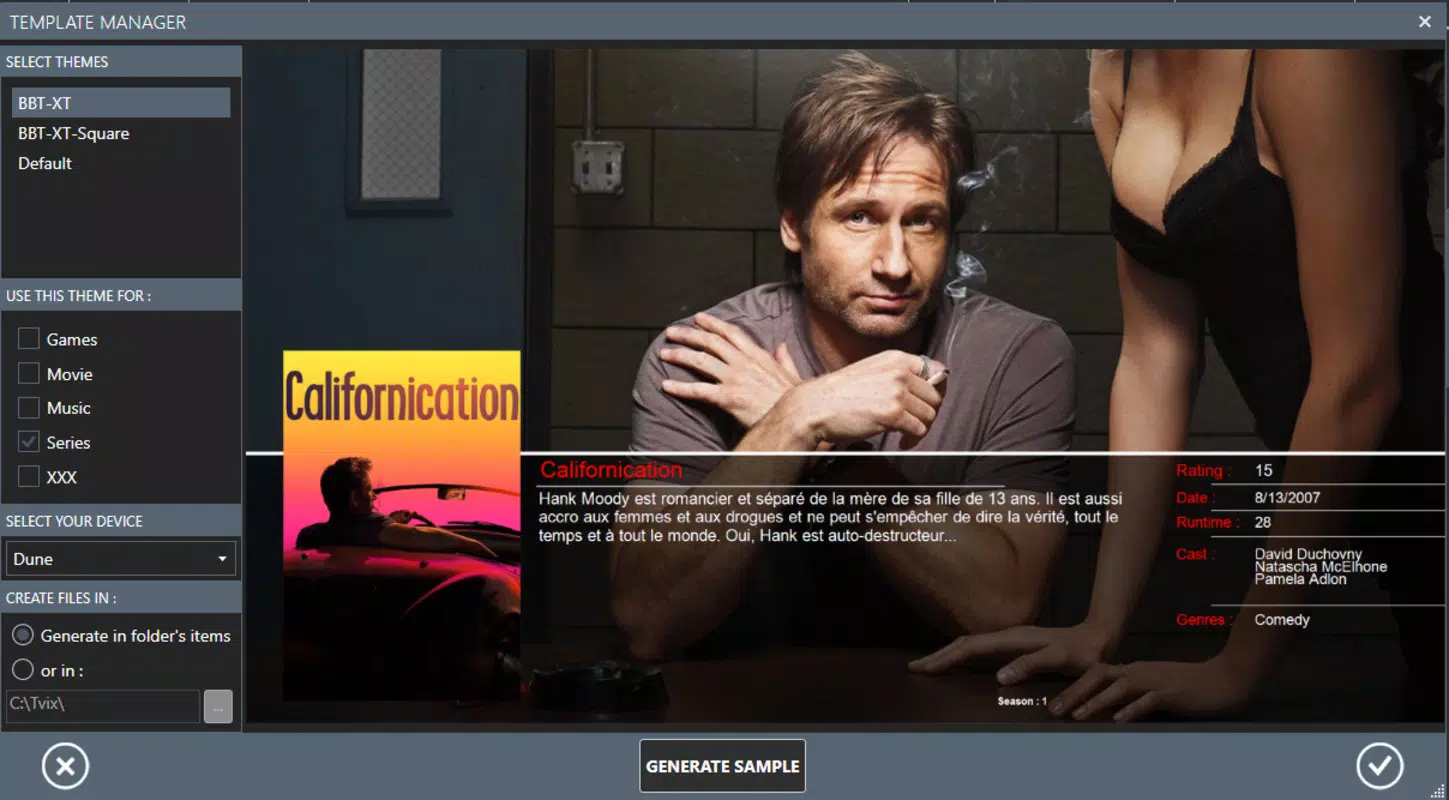
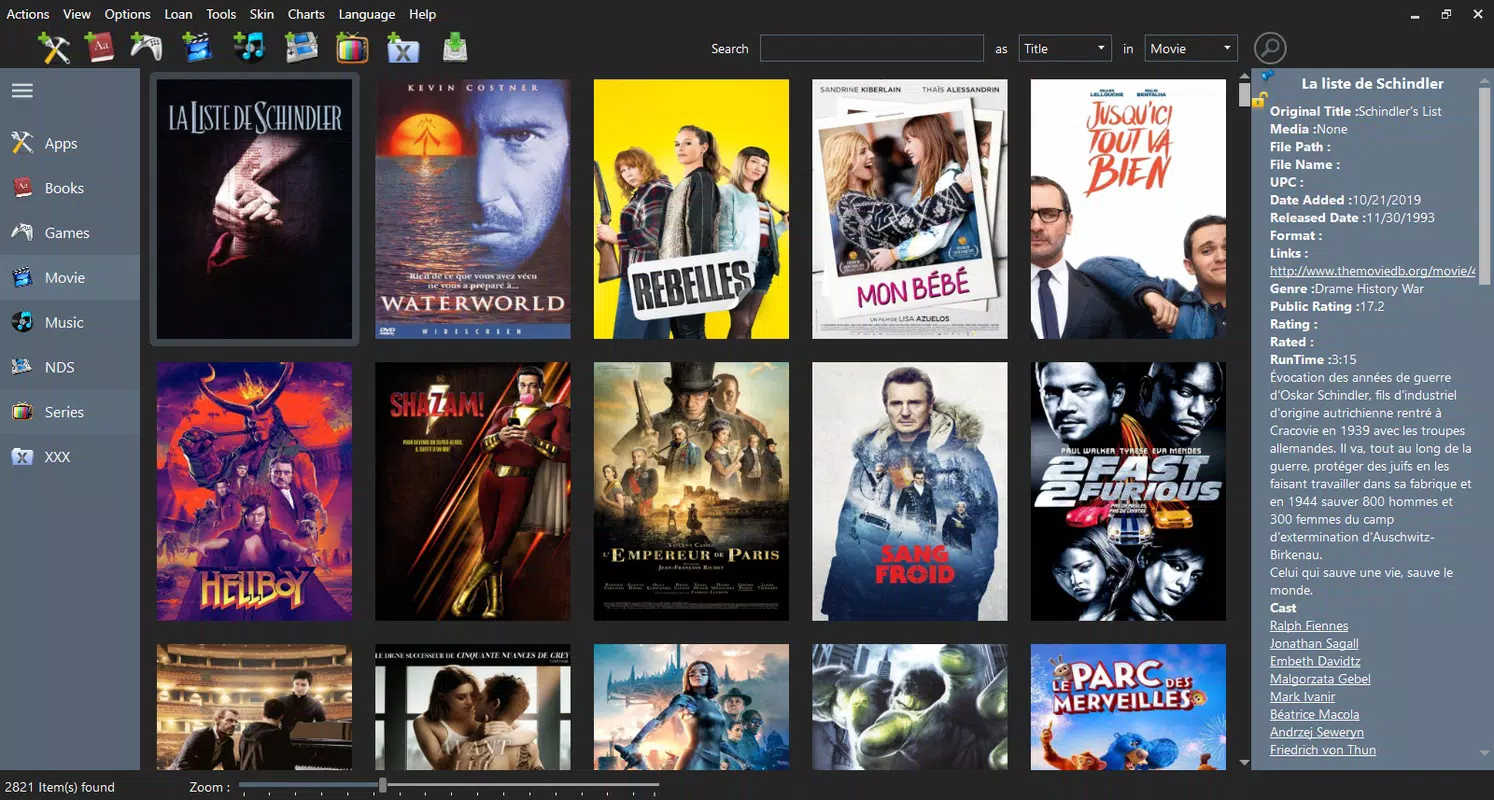
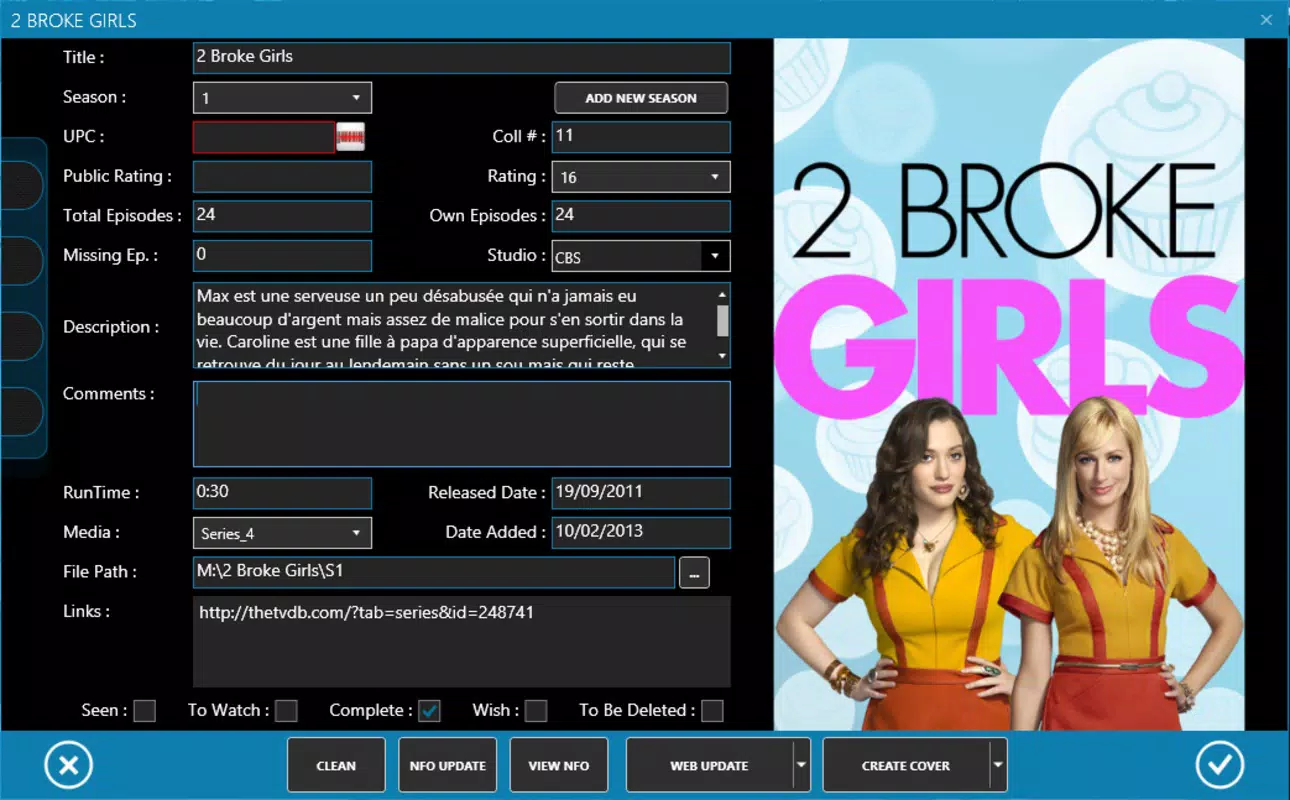
- Detailed Information Downloads: myCollections retrieves in-depth data such as synopses, cast and crew details, release dates, genre tags, and album art. This enhances the user experience by transforming a simple list into a rich media archive with visual and contextual elements.
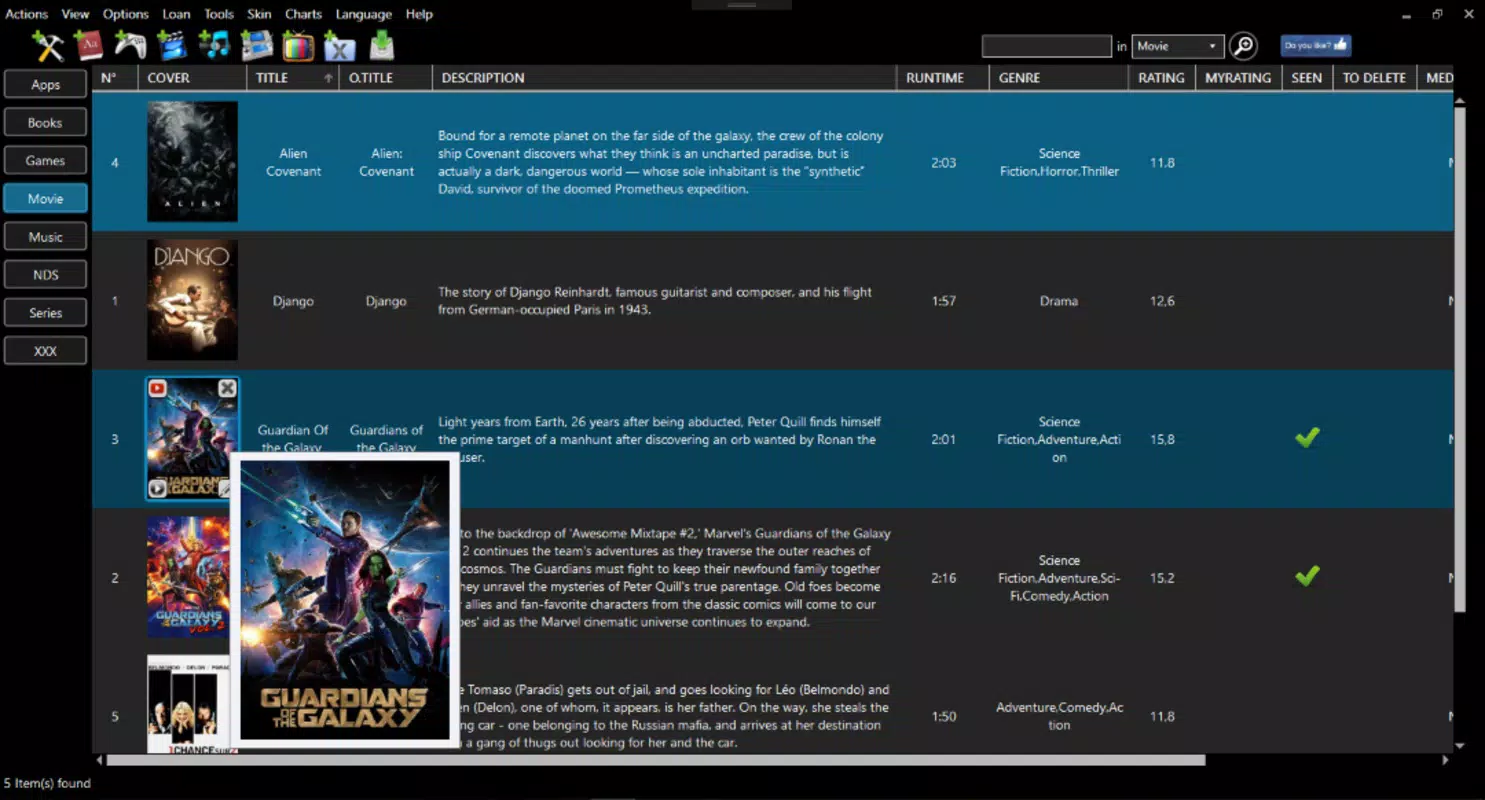
- Flexible Organization Options: Users can sort and filter their collections by multiple criteria including genre, length, release date, rating, and status. This allows for efficient navigation and quick access to specific content, even within large libraries.
- Lending Tracker Feature: A distinctive functionality that enables users to log borrowed items, including the borrower’s name and date borrowed. This helps prevent loss and facilitates timely return reminders, making it ideal for users who frequently share media with friends or family.
- Manual Entry Capability: For niche or independently produced content not available in online databases, the app allows users to manually input items. This ensures no media is left unaccounted for, preserving the completeness of personal collections.
These features are particularly useful in scenarios such as preparing for a media giveaway, auditing a home library, or managing a shared collection across multiple users. The combination of automation and manual control provides a balanced approach suitable for both casual users and serious collectors.
Interface, UX & Performance
myCollections features a clean, intuitive interface designed to prioritize functionality and ease of navigation. The layout organizes content into clearly labeled sections, with consistent visual hierarchy and accessible menus. Users can switch between different media types with minimal effort, and the search bar is prominently placed for quick access. Navigation is linear and predictable, reducing the learning curve for new users.
The visual style leans toward minimalism, using neutral colors and clear typography to enhance readability. Icons are simple and contextually relevant, supporting fast recognition. Although the developer did not list formal performance metrics, the app appears optimized for responsiveness across a range of device categories, including mid-tier and high-end smartphones. Stability is maintained through structured data handling and efficient background processing, minimizing crashes or lag during large-scale data imports.
Users can expect smooth transitions between views and consistent performance when managing large collections. The app maintains a steady frame rate during sorting and filtering operations, and loading times for media details remain reasonable. While specific device compatibility was not disclosed, the design suggests adaptability to various screen sizes and orientations. Overall, the user experience is focused on efficiency and clarity, aligning with the needs of organized, detail-oriented users.
Platform Compatibility & Technical Requirements
myCollections is available for Android and iOS platforms, supporting the latest operating system versions at the time of release. The app’s file size is approximately 45.2 MB, which is within the standard range for feature-rich utility applications. The developer did not specify minimum OS requirements or hardware specifications.
Although the developer did not list formal performance metrics, the app appears optimized for responsiveness across a range of device categories, including mid-tier and high-end smartphones. Stability is maintained through structured data handling and efficient background processing, minimizing crashes or lag during large-scale data imports.
Compatibility information was not fully disclosed. Users should ensure their device meets general system requirements for modern mobile apps. No additional permissions were listed, but the app may request access to storage and internet connectivity for full functionality.
Pros and Cons
Pros
- Comprehensive media cataloging across multiple categories including games, films, music, books, and PC software
- Automatic search and metadata retrieval reduce manual input effort
- Flexible sorting and filtering options for efficient navigation
- Unique lending tracker to monitor borrowed items and prevent loss
- Manual entry support for niche or rare media not found in online databases
- Clean, intuitive interface suitable for both beginners and advanced users
Cons
- Specific performance benchmarks or device requirements were not provided
- Compatibility with older OS versions was not confirmed
- Developer did not disclose permission usage or data handling policies
- No cloud sync or cross-device backup functionality was mentioned
- Limited information on update frequency or long-term support
FAQ
Is myCollections available for both Android and iOS?
Yes, myCollections is designed for both Android and iOS platforms. The app supports the latest versions of each operating system at the time of release.
Can I use myCollections to track borrowed media?
Yes, the app includes a lending tracker feature that allows you to record who borrowed an item, when it was lent, and expected return dates, helping you keep track of shared media.
Does myCollections support manual entry of items?
Yes, users can manually add media items such as books, independent films, or niche games that may not be available in online databases.
Is myCollections free to download and use?
The app’s pricing model was not disclosed in the provided information. Users should check the app store listing for current pricing and availability of in-app purchases.
How often does myCollections update its media database?
The update frequency was not specified. The app likely updates content during automatic searches, but the exact schedule or manual refresh options were not detailed.
Final Thoughts
myCollections stands out as a powerful, purpose-built tool for individuals managing diverse media collections. Its blend of automation and manual control offers a balanced solution for both casual users and serious collectors. The inclusion of a lending tracker adds practical value, addressing a common pain point in shared media environments. The clean interface and flexible organization options ensure that users can quickly find and manage their content, regardless of collection size.
While some technical details such as performance benchmarks, compatibility with older devices, and data privacy policies remain undisclosed, the app’s core functionality is robust and well-executed. For anyone looking to bring order to a chaotic media library, myCollections delivers tangible benefits in organization, accessibility, and accountability.
Download myCollections now


